Space you can use
See which files are rebuildable, instead of guessing from a folder name.
20% offBoth plans, with code NOVEMBER20, until 30 November.
Disk space, explained
Free to scan · local-first · nothing moves until you choose it



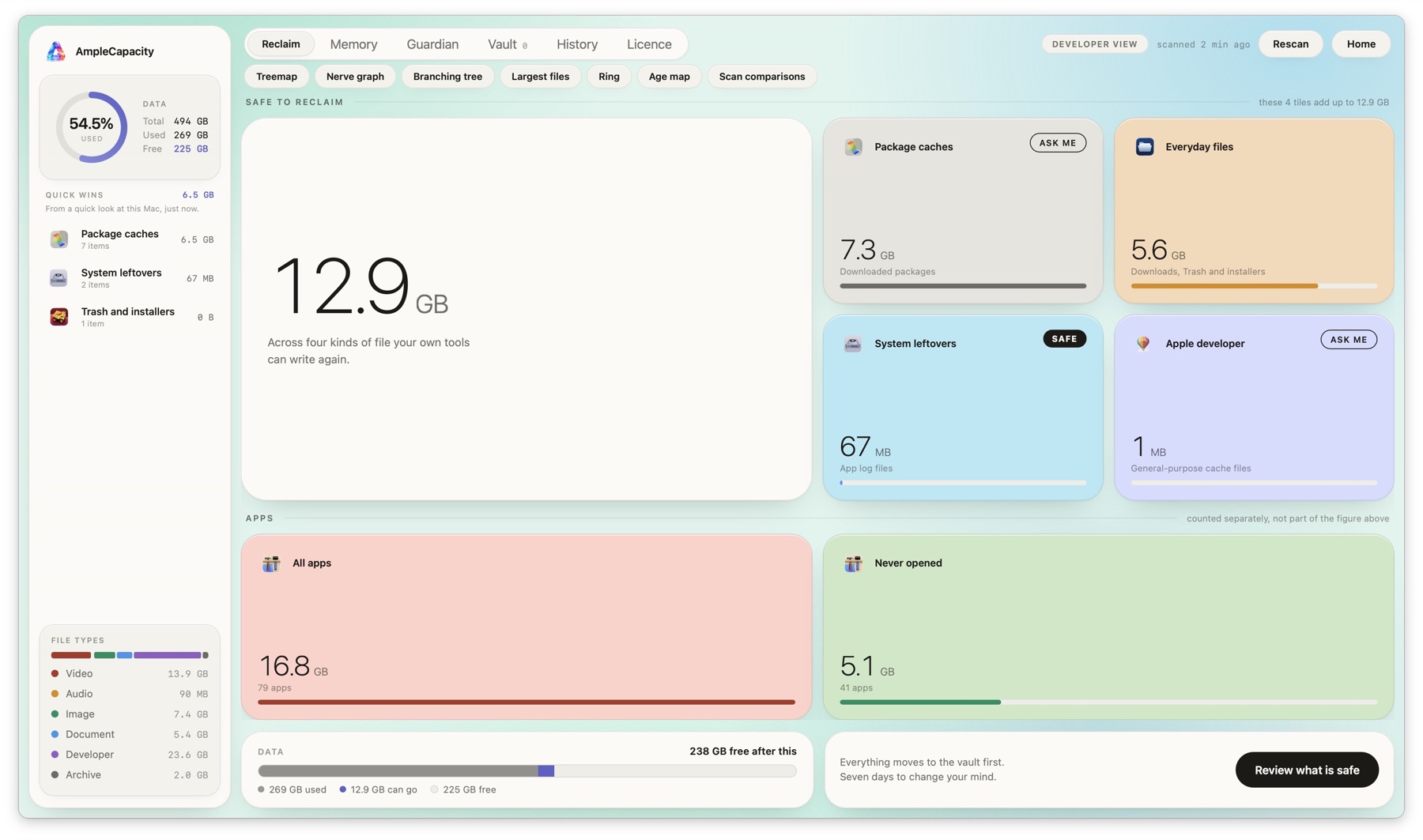
What you get
Storage upgrades and cloud plans are expensive. AmpleCapacity gives you the information to avoid buying blindly — and the room to delay an upgrade when your Mac already has recoverable space.
The free scan shows whether the pressure is coming from rebuildable caches, old installers, or files worth keeping. You see the potential saving before you spend money on a larger drive or another cloud tier.
Your number will be different. The point is to see it before you decide.
See which files are rebuildable, instead of guessing from a folder name.
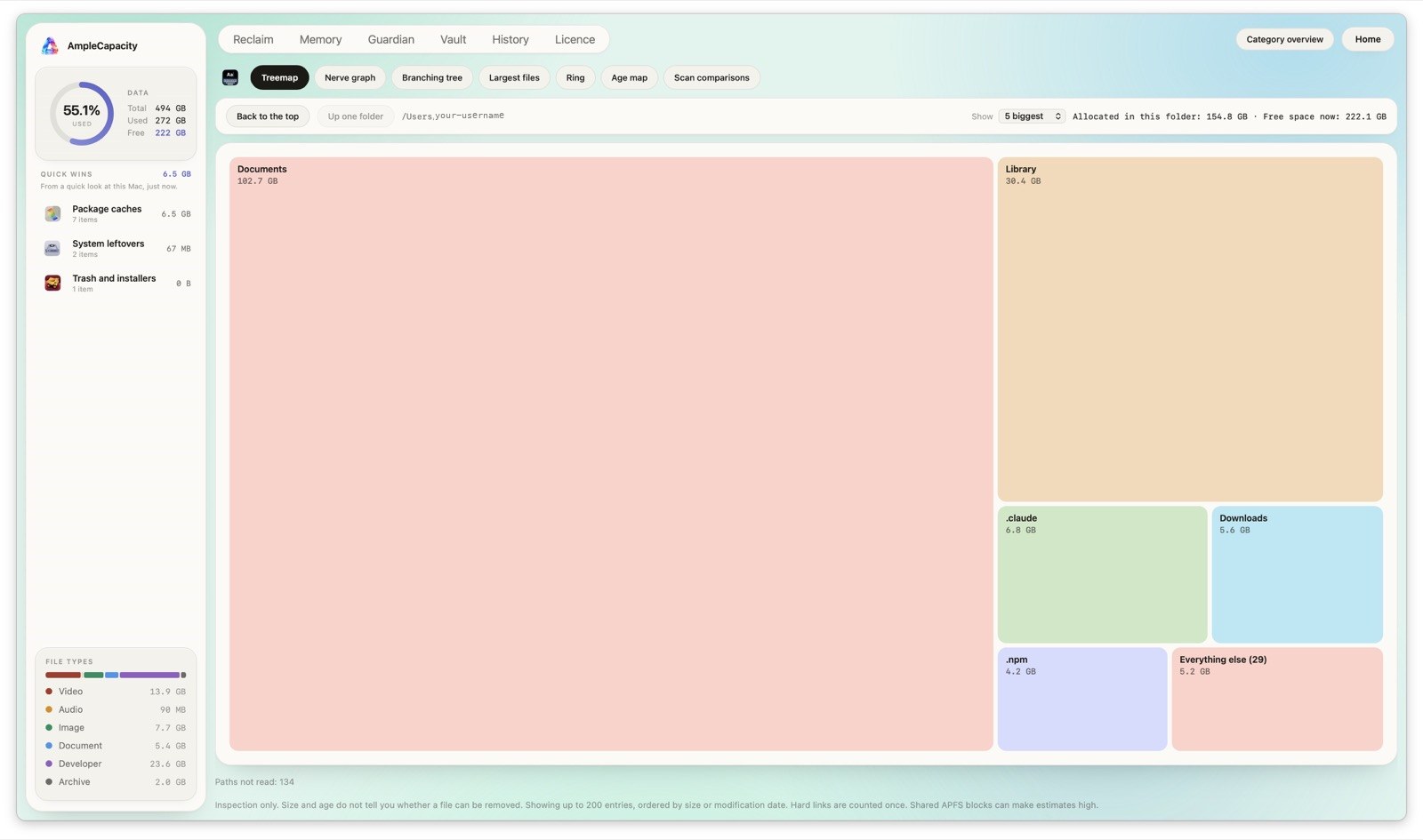
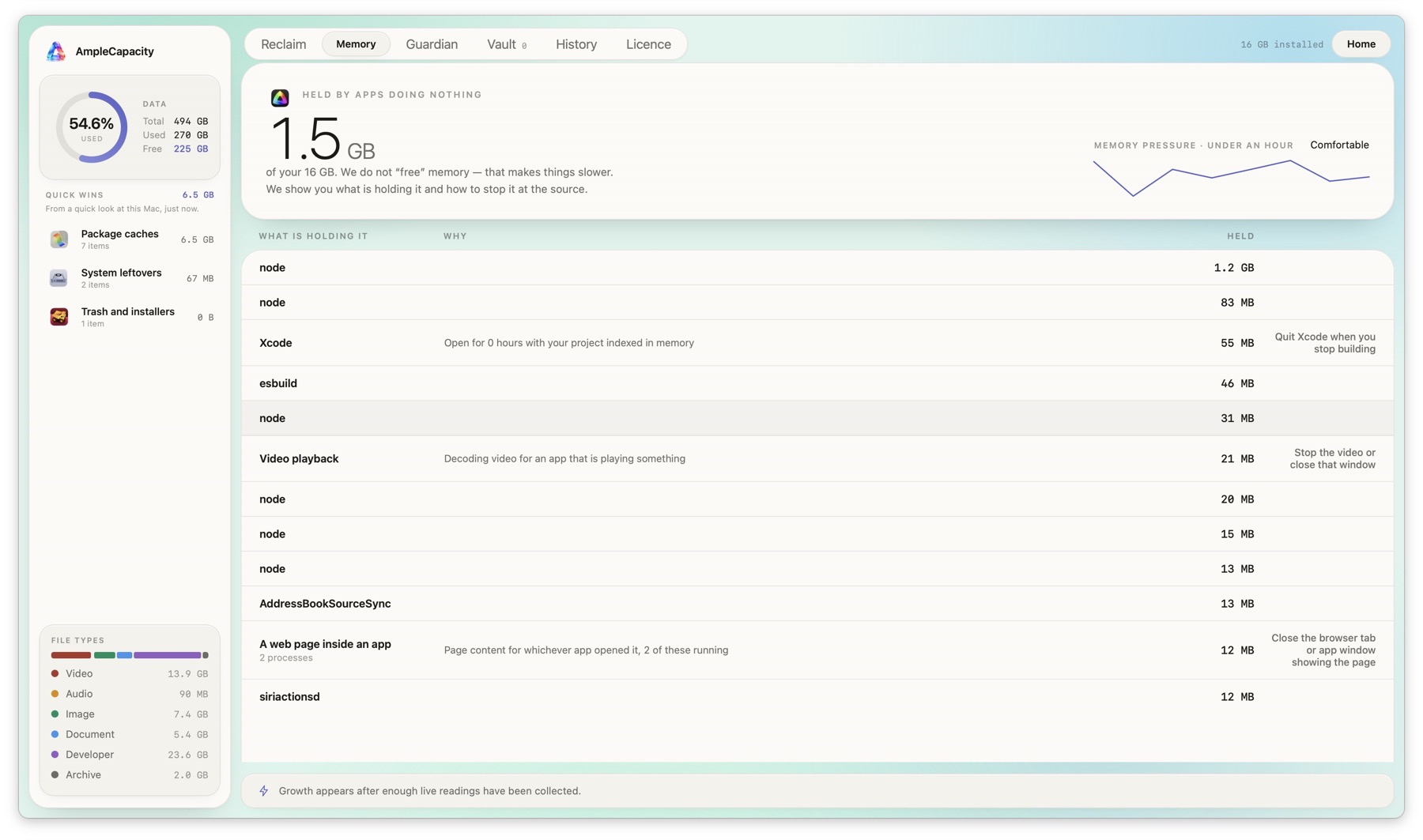
Understand what made it, why it is there, and what happens next.
Move selected items to the vault first. Put them back if you need them.
The first ten minutes
AmpleCapacity turns a technical chore into three calm steps.
Read-only first. You get the answer before you make a decision.
Build caches, downloads, and app data are grouped into plain English.
Reclaim through the vault, not straight to permanent deletion.
The product promise
A full disk is frustrating. Accidentally moving something important is worse. The experience is designed around that difference.
“I finally knew what was safe to move — and why.”
They want the space, but they do not want another app asking them to trust a mysterious button.
Show the value first. Ask for the action second.“I found 18 GB I could move without digging through a dozen folders.”Maya R.Designer · MacBook Pro
“The explanation next to the recommendation was the part I trusted.”Jon P.Developer · Mac mini
“I tried it because I knew I could put things back.”Elena S.Photographer · Mac Studio
“I was about to buy more storage. The scan showed me what I already had.”Priya N.Product lead · iMac
“It pointed at caches I knew were rebuildable, instead of making me guess.”Sam K.Indie developer · MacBook Air
“I finally understood what ‘other’ space meant on my own computer.”Noor A.Student · MacBook Pro
“The number gave me enough room to finish the project before buying a drive.”Luis M.Editor · Mac Studio
“The vault changed the decision from scary to reversible.”Hannah B.Researcher · MacBook Pro
“Ten minutes with the app beat an afternoon of forum searches.”Theo G.Founder · MacBook Air
“I could see what was taking space without opening every application folder.”Keiko W.Illustrator · iMac
“It made me question whether I needed another cloud plan yet.”Marco D.Teacher · MacBook Air
“The app explained the files like a helpful person, not a terminal window.”Anika P.Consultant · MacBook Pro
“I cleared old downloads and got back to recording without touching my sessions.”Rob C.Musician · Mac mini
“The first screen answered the question I came for: what can I reclaim?”Sarah J.Producer · MacBook Pro
“I stopped worrying that one wrong click would break my setup.”Daniel F.Engineer · Mac Studio
“I used the scan before ordering a bigger SSD. That was the right order.”Imani L.Architect · MacBook Pro
“It gave me a small list instead of making me manage the entire disk.”Oliver N.Researcher · iMac
“I could tell the difference between files I needed and files I could recreate.”Fatima Z.Photographer · MacBook Pro
“No dramatic promises. Just a clear number and a safe next step.”Ben W.Developer · Mac mini
“The free scan made the decision easy: I knew what I was paying for.”Chloe T.Writer · MacBook Air
Start with your own Mac
The scan is free. No account. No pressure.
Try the scan →